

Container Orchestration: Beyond the Marketing Slides

Why Your Containers Need a Conductor

You’ve containerized your application. Congratulations, you’ve solved approximately 15% of your deployment problems. The other 85% is figuring out how to run those containers reliably in production without losing your sanity or your sleep schedule.

Container Orchestration: Beyond the Marketing Slides

Container orchestration exists because containers, left to their own devices, are like talented musicians without a conductor. They can play beautiful music individually, but getting them to perform a symphony together requires coordination. When your application spans dozens of containers across multiple nodes, manual management becomes the kind of technical debt that wakes you up at 3 AM.

The orchestration layer handles service discovery, load balancing, rolling updates, health checks, and resource allocation. It’s the difference between manually SSH-ing into boxes to restart failed containers and having your infrastructure self-heal while you finish your coffee. Modern orchestrators don’t just manage containers, they manage the entire lifecycle of distributed applications.

Think of orchestration as the layer that lets you reason about desired state instead of imperative commands. You declare what you want your system to look like, and the orchestrator figures out how to make it happen. This declarative approach separates professional container deployments from elaborate shell scripts.

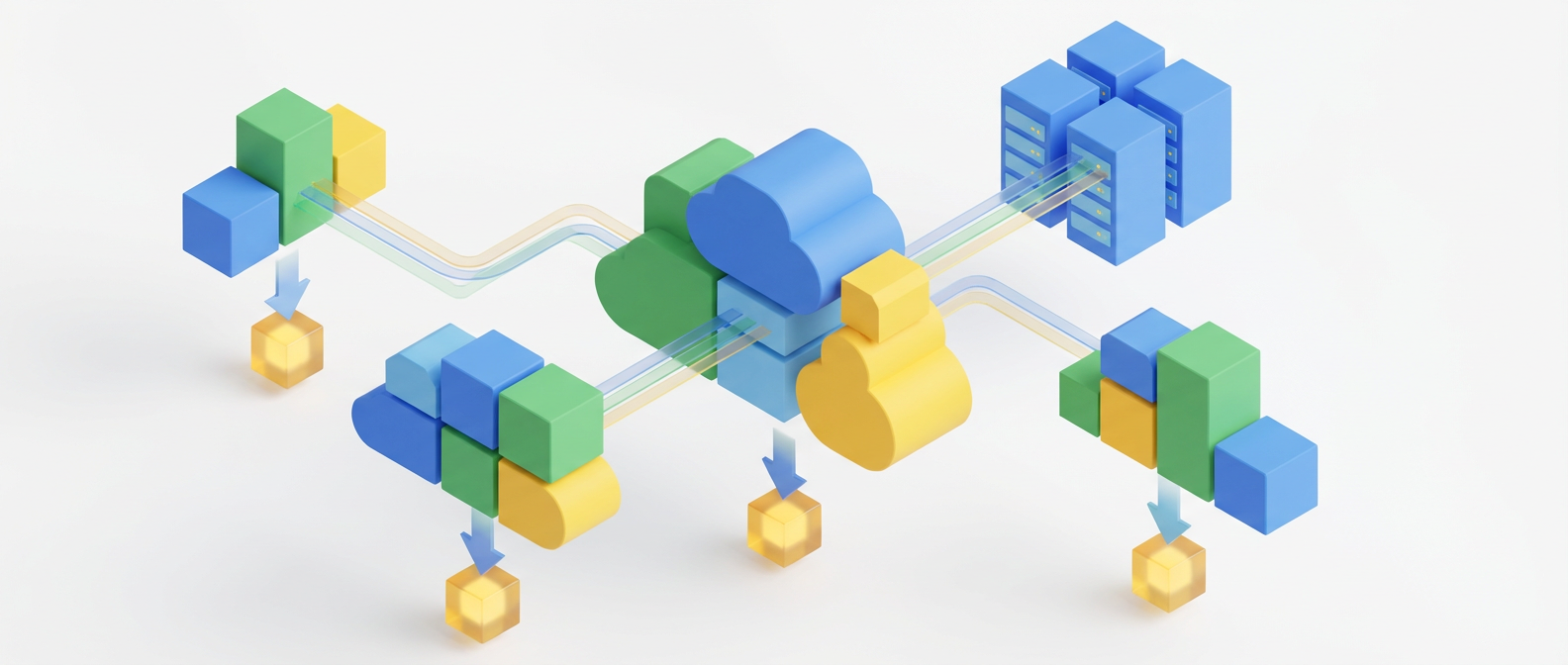
Illustration for Container Orchestration: Beyond the Marketing Slides

Kubernetes: The 800-Pound Gorilla That Learned to Dance

Kubernetes won the orchestration wars not because it was the simplest solution, but because it was the most complete one. While Docker Swarm offered simplicity and Mesos provided raw power, Kubernetes delivered extensibility. It became the platform that platforms are built on.

The main building block is the Pod, which wraps one or more tightly coupled containers. Pods are temporary by design, cattle not pets. Above Pods, you have ReplicaSets ensuring you have the right number of instances, Deployments managing rolling updates, and Services providing stable networking endpoints. This layered architecture means you can reason about different concerns at different levels.

What makes Kubernetes particularly elegant is its controller pattern. Controllers continuously watch the actual state of the cluster and work to reconcile it with the desired state defined in your manifests. This creates a self-healing system where temporary failures are automatically corrected without human intervention. The scheduler intelligently places workloads based on resource requirements, node affinity, and constraints you define.

The ecosystem around Kubernetes has exploded because of its extensibility. Custom Resource Definitions let you teach Kubernetes about your domain-specific needs. Operators turn operational knowledge into code, transforming complex manual procedures into automated controllers. This is where Kubernetes goes beyond being just a container orchestrator and becomes a platform for building platforms.

Deployment Strategies That Don’t Break Things

Rolling deployments are the bread and butter of zero-downtime updates. Kubernetes gradually replaces old instances with new ones, maintaining service availability throughout the process. You can control the pace with maxUnavailable and maxSurge parameters, balancing deployment speed against resource utilization. The beauty lies in automatic rollback if health checks fail.

Blue-green deployments take a different approach: maintain two identical production environments and switch traffic between them. This strategy provides instant rollback capability and eliminates the complexity of managing mixed versions during deployment. The downside is resource cost, since you need twice the infrastructure. In cloud environments, this translates to higher bills, but the operational simplicity often justifies the expense.

Canary deployments offer a middle ground, gradually shifting traffic from the old version to the new one while monitoring key metrics. Start by sending 5% of traffic to the new version, then 25%, 50%, and finally 100% if everything looks good. This approach catches issues before they impact all users, but requires sophisticated traffic routing and monitoring capabilities.

Feature flags add another dimension to deployment strategies. Deploy new code in a disabled state, then gradually enable features for specific user segments. This decouples deployment from release, allowing you to deploy frequently while controlling feature exposure. Combined with canary deployments, feature flags create a powerful risk mitigation strategy.

Service Mesh: When Networking Gets Serious

As microservices architectures grow complex, the network becomes the weakest link. Service mesh addresses this by extracting networking concerns from application code into infrastructure. Instead of implementing circuit breakers, retries, and observability in every service, these capabilities become platform features.

Istio shows the service mesh approach with its data plane and control plane architecture. Envoy proxies handle all network communication, while the control plane manages configuration and policy. This sidecar pattern means existing applications gain advanced networking capabilities without code changes. Traffic encryption, load balancing, and fault injection become configuration rather than implementation concerns.

The observability benefits alone justify service mesh adoption in complex environments. Every request is automatically traced and measured. You get detailed metrics about latency, error rates, and traffic patterns without instrumenting application code. This level of visibility is invaluable for debugging distributed systems and understanding performance characteristics.

Service mesh introduces operational complexity, but it’s the good kind of complexity. You’re trading scattered networking logic across dozens of services for centralized policy management. The learning curve is steep, but the payoff in operational consistency and debugging capability is substantial.

The Reality of Production Orchestration

Production orchestration is where theory meets reality, and reality usually wins. Your beautifully crafted deployment pipeline will encounter network partitions, disk failures, and that one service that mysteriously stops responding every Tuesday. The hallmark of mature orchestration is graceful degradation under these conditions.

Resource limits and requests aren’t suggestions, they’re contracts with the scheduler. Set them too low and your pods get OOMKilled under load. Set them too high and you waste money on unused capacity. Getting this right requires understanding your application’s actual resource consumption patterns, not just peak memory usage from local testing.

Persistent storage in orchestrated environments requires careful consideration. StatefulSets provide ordered deployment and stable network identities for stateful workloads, but they’re more complex than Deployments. Consider whether your data truly needs to be persistent or if you can design for temporary storage with external data stores.

The hardest part isn’t the initial deployment, it’s the ongoing operational burden. Plan for day-two operations from the beginning. How will you handle certificate rotation? Security updates? Database migrations? The orchestration platform solves container management, but you still need answers for these operational questions.

Container orchestration has matured from bleeding-edge technology to essential infrastructure. The patterns and tools I’ve covered here form the foundation of modern deployment strategies. If you’re wrestling with similar challenges or have discovered elegant solutions in your own environments, I’d love to hear about your experiences. The best insights often come from the trenches of production systems.

Your Cloud Bill is a Casino and You’re the House’s Favorite Customer

The Great Cloud Cost Lie Everyone Believes

Every tech conference has that one talk about “optimizing cloud costs” where someone shows a graph of their AWS bill dropping 40% after “implementing best practices.” The audience nods knowingly. Half of them are mentally calculating their own bloated bills. The other half are taking notes they’ll never implement.

Your Cloud Bill is a Casino and You're the House's Favorite Customer
Your Cloud Bill is a Casino and You’re the House’s Favorite Customer

Here’s what nobody mentions: most cloud cost optimization is just expensive procrastination. Companies spend months analyzing spend patterns and rightsizing instances while their developers continue spinning up t3.xlarge instances for development environments that process three API calls per day. It’s like optimizing your grocery budget while your teenager orders DoorDash twice daily.

The real problem isn’t that cloud providers are expensive. The real problem is that infrastructure provisioning became so frictionless that we forgot how to think about resource costs. When spinning up a new environment required a purchase order and three weeks of hardware procurement, people were naturally conservative. Now? Just click the bigger instance type. The credit card can handle it.

Illustration for Your Cloud Bill is a Casino and You're the House's Favorite Customer
Illustration for Your Cloud Bill is a Casino and You’re the House’s Favorite Customer

Reserved Instances: The Subscription Trap That Actually Works

Reserved Instances get a bad reputation because they feel like a commitment, and engineers hate commitment more than they hate poorly documented APIs. But here’s the thing: if you’re running production workloads that you expect to exist in twelve months, RIs are basically free money sitting on the table.

The math is stupidly simple. A three-year RI for a c5.2xlarge instance costs roughly 60% of on-demand pricing. Unless you’re pivoting your entire business model quarterly, that’s a guaranteed 40% savings. Yet most companies treat RIs like they’re signing a mortgage. The cognitive overhead of predicting future capacity somehow outweighs the very real money bleeding from their accounts monthly.

The sweet spot is covering your baseline capacity with RIs and letting your autoscaling groups handle spikes with on-demand instances. Start conservative. You can always buy more RIs later, but you’re stuck with the ones you have. Think of it as infrastructure insurance that pays you instead of the other way around.

Rightsizing: The Art of Admitting You Were Wrong About Everything

Most instance rightsizing exercises reveal embarrassing truths about how little teams actually monitor their infrastructure. That database server you provisioned with 32 cores? It’s averaging 8% CPU utilization. The Redis cluster that definitely needed memory-optimized instances? It’s using 12GB of its 244GB allocation.

The problem with rightsizing is that it requires admitting your initial capacity planning was wrong. Engineers would rather pay extra than acknowledge they overestimated their application’s resource requirements by 300%. It’s a professional pride issue disguised as technical conservatism.

Start with CloudWatch metrics, but don’t trust them blindly. Those CPU spikes you see might be garbage collection, not actual load. Memory utilization charts can be misleading when your application is caching aggressively but doesn’t actually need that much heap space. The best rightsizing decisions come from understanding your application’s behavior, not just staring at pretty graphs.

Implement rightsizing as a gradual process. Drop one instance size and monitor for a week. If nothing breaks and performance metrics remain stable, you found free money. If things start failing, you learned something valuable about your application’s actual requirements. Either outcome is better than continuing to pay for resources you’re not using.

The Hidden Costs That Multiply Like Kubernetes Pods

Data transfer costs are where cloud providers make their real money, and most engineers discover this the hard way. That microservices architecture that seemed elegant in development becomes expensive when Service A in us-east-1 needs to constantly communicate with Service B in eu-west-1. Cross-region data transfer costs add up faster than technical debt during a growth phase.

Storage costs multiply through carelessness, not malice. EBS snapshots that nobody remembers creating. S3 buckets full of log files from applications that were deprecated two years ago. Database backups configured to retain data for 35 days because someone thought “more backup is always better.” Each individual cost is small, but they compound like interest on credit card debt.

The most expensive mistake is treating cloud resources like they’re disposable without actually disposing of them. Developers create test environments, finish their feature work, and move on to the next task. Those environments continue running indefinitely, burning money for infrastructure that has no purpose except making your CFO question technology spending decisions.

Implement automated cleanup policies. Tag resources with expiration dates. Set up billing alerts that trigger before your monthly budget becomes a quarterly surprise. The goal isn’t to become paranoid about every dollar spent, but to ensure you’re paying for infrastructure that actually helps your business.

Building a Culture That Gives a Damn About Money

The most effective cost optimization happens when engineers understand the financial impact of their infrastructure decisions. This doesn’t mean turning every technical discussion into a budget meeting, but it does mean making cost visibility part of your standard development workflow.

Show teams their monthly cloud costs the same way you show them error rates and response times. Make it a metric that matters. When engineers can see how their architectural choices translate to real money, they start making different decisions. That caching layer they’ve been postponing suddenly becomes a priority when they realize it could save $3,000 monthly in database costs.

The best cost optimization strategies become habits, not projects. Automate the boring stuff: shutting down development environments after hours, cleaning up unused resources, rightsizing instances based on utilization trends. Save human effort for the decisions that actually require judgment and technical expertise.

Your cloud bill doesn’t have to be a monthly surprise that makes you question your career choices. With some basic discipline and automated guardrails, you can maintain the flexibility that drew you to cloud infrastructure while keeping costs reasonable. The key is treating cost optimization like any other engineering discipline: measure, automate, and continuously improve.

What’s your most painful cloud cost surprise? Drop a comment below, and let’s commiserate about the expensive lessons we’ve all learned the hard way.

The Microservices vs Monolith Decision Tree: A Production Engineer’s Field Guide

Why This Debate Still Matters (And Why Most People Get It Wrong)

Every engineering team eventually faces this choice. You’re scaling past the point where three developers can hold the entire codebase in their heads simultaneously. Product is breathing down your neck about feature velocity. The database is showing signs of strain. Someone inevitably suggests “breaking things into microservices” as if it’s a magical scaling potion.

The Microservices vs Monolith Decision Tree: A Production Engineer's Field Guide
The Microservices vs Monolith Decision Tree: A Production Engineer’s Field Guide

I’ve watched teams completely tank their productivity for months chasing microservices glory. I’ve also seen monoliths crumble under their own weight. The decision isn’t really about architecture philosophy. It’s about understanding the specific trade-offs your system will face at your scale, with your team, solving your problems.

The real question isn’t “microservices or monolith?” It’s “what are the actual bottlenecks we’re trying to solve, and what are we willing to sacrifice to solve them?” Let’s get into the details.

Illustration for The Microservices vs Monolith Decision Tree: A Production Engineer's Field Guide
Illustration for The Microservices vs Monolith Decision Tree: A Production Engineer’s Field Guide

The Monolith’s Hidden Superpowers

Monoliths get unfairly trashed, mostly by engineers who’ve never debugged a distributed system at 3 AM. A well-structured monolith is incredibly powerful. You get ACID transactions across your entire data model. Your stack traces are complete. When something breaks, there’s exactly one place to look.

The operational simplicity is real. One deployment pipeline. One monitoring dashboard. One log aggregation setup. When you need to add a feature that touches multiple domains, you just write the code. No service contracts, no network calls, no eventual consistency headaches. Understanding system behavior takes so much less mental overhead.

But here’s what most people miss: monoliths scale surprisingly well when you architect them correctly. Ruby on Rails applications regularly handle millions of requests per day. Netflix ran on a monolith for years while serving massive scale. The secret is understanding where your actual bottlenecks live. Usually it’s the database, not the application code.

The breaking point comes when team coordination becomes the bottleneck. When you have 20 engineers trying to deploy to the same codebase, when feature branches become archaeological dig sites, when your CI/CD pipeline takes 45 minutes because the test suite has grown into a monster. That’s when you start looking at alternatives.

Microservices: The Distributed Systems Tax

Microservices solve organizational problems at the cost of technical complexity. You’re trading coordination overhead for operational overhead. Instead of managing merge conflicts, you’re managing service contracts. Instead of debugging function calls, you’re debugging network partitions.

The network is not reliable. This isn’t theoretical. Services will be unreachable. Requests will timeout. Message queues will back up. You’ll discover that the innocent-looking user registration flow actually requires coordinating six different services, and when the email service is down, you need to decide whether to fail the entire operation or implement some sort of saga pattern.

Circuit breakers, retries, bulkheads, timeout configurations. Your simple business logic becomes wrapped in layers of defensive programming. Error handling changes from “catch the exception” to “what happens when service B is returning 50x errors but service A succeeded?” Welcome to eventual consistency, where your system is always in some state of mild confusion about what actually happened.

But here’s the payoff: independent deployability. Team A can ship their service without waiting for team B to finish their refactor. You can scale different parts of your system independently. The blast radius of any individual failure is contained. When done right, it unlocks team velocity that’s impossible with a shared codebase.

The Real Decision Framework

The choice comes down to three factors: team size, domain complexity, and operational maturity. If you have fewer than 10 engineers, stick with the monolith. The coordination overhead isn’t worth it yet. You’ll spend more time building service infrastructure than business features.

Domain complexity matters more than raw scale. If your business logic is tightly coupled, microservices will just push that coupling into your service layer. You’ll end up with a distributed monolith, which gives you all the complexity of microservices with none of the benefits. Look for natural bounded contexts. User management, payments, inventory, recommendations. If you can draw clear lines with minimal cross-cutting concerns, microservices become viable.

Operational maturity is the hidden requirement. Microservices demand sophisticated tooling. Service mesh, distributed tracing, centralized logging, robust monitoring. If you can’t tell me exactly what happened to request ID xyz across seven services, you’re not ready. If your deployment pipeline isn’t fully automated, don’t even think about it.

Here’s my rule of thumb: if you’re asking whether you should use microservices, you probably shouldn’t. When you actually need them, the pain points become obvious. Your deployment pipeline is constantly blocked. Different teams need to scale different components independently. You’ve identified clear service boundaries with minimal coupling.

The Hybrid Reality

Most successful systems end up somewhere in the middle. Start with a well-structured monolith. Use proper domain modeling. Keep your modules loosely coupled. When specific bottlenecks emerge, extract them strategically.

Maybe you extract the image processing pipeline because it needs different scaling characteristics. Perhaps the recommendation engine becomes its own service because the data science team needs to iterate independently. You might pull out authentication because it’s shared across multiple applications.

This gradual extraction approach lets you learn distributed systems complexity step by step. You discover which service boundaries actually make sense. You build the operational tooling gradually. Most importantly, you maintain the option to merge things back if you discover you drew the lines wrong.

The goal isn’t architectural purity. It’s building systems that your team can operate effectively while delivering business value. Sometimes that’s a monolith. Sometimes it’s microservices. Most often, it’s something in between that evolved naturally from real constraints rather than theoretical preferences.

What’s your experience been with this trade-off? I’m always curious about the specific breaking points teams hit in practice, especially the operational gotchas that don’t show up in the architecture diagrams.

The $80K Cloud Bill That Taught Me Everything About Cost Optimization

When Your Morning Coffee Comes with a Side of Financial Terror

Nothing quite prepares you for that moment when you open your cloud console and see a monthly bill that rivals a luxury car payment. Mine was $80,000 for what should have been a $12,000 month. The coffee mug hit the desk harder than usual that Tuesday morning.

Three months prior, our startup had migrated everything to AWS. We were growing fast, shipping features daily, and riding the euphoric wave of “infinite scalability.” Our infrastructure was elegant, our deployment pipeline was pristine, and our monitoring dashboards looked like something out of a sci-fi movie. What we didn’t have was anyone watching the money walk out the door in real-time.

The culprit? A rogue auto-scaling group that had decided 847 instances was the perfect number to handle what turned out to be a bot scraping our API. Classic Tuesday, really.

The Anatomy of a Cloud Cost Disaster

Here’s what actually happened, because the devil lives in these details. Our application had three tiers: web servers, API workers, and background job processors. Each tier had auto-scaling configured with what we thought were conservative limits. The web tier could scale to 50 instances, API workers to 100, and background processors to 200.

The bot hit our API endpoints in a pattern that looked suspiciously like legitimate traffic spikes. Our monitoring saw the increased load, auto-scaling kicked in, and within six hours we had spawned enough EC2 instances to power a small country. The real kicker? Each instance was a c5.4xlarge because someone (me) had decided we needed “headroom for growth.”

But the instances were just the beginning. Those 847 servers generated 847 sets of CloudWatch metrics, 847 EBS volumes, 847 sets of VPC flow logs, and enough S3 API calls to make Jeff Bezos personally thank us. The cascading effect turned a bad scaling decision into a financial catastrophe that took three days to fully unwind.

What I Learned from Debugging a Bank Account

The first lesson hit me like a deployment gone wrong at midnight: you need cost monitoring that’s as real-time as your performance monitoring. We had alerts for CPU spikes and memory leaks but nothing for when our burn rate tripled in an hour. I built a simple Lambda function that queries the Cost Explorer API every 15 minutes and sends a Slack alert when daily costs exceed a threshold. Not rocket science, but it would have saved us $60K.

The second revelation came while analyzing our “normal” usage patterns. We were running the same instance types for wildly different workloads. Our image processing jobs needed compute-optimized instances, but our API servers were mostly waiting on database calls and could run happily on burstable instances. A week of rightsizing exercises cut our baseline costs by 40% without touching a line of application code.

Resource tagging became my religion after this incident. Every resource now gets tagged with environment, team, project, and cost center. The AWS Cost Allocation Tags feature turns these into powerful filtering tools that let you track spending by feature, not just service. When the marketing team asks how much their new campaign dashboard costs to run, I can give them a number in thirty seconds instead of three hours of spreadsheet archaeology.

The Boring Stuff That Actually Moves the Needle

Reserved instances feel like buying insurance for your infrastructure, and they kind of are. After stabilizing our usage patterns, we committed to RIs for our baseline load and saved 35% on compute costs. The three-year commitments make finance teams nervous, but the math is straightforward: if you’re confident the workload will exist in six months, the RI pays for itself.

Spot instances turned our batch processing costs into a game. Our nightly ETL jobs now run on spot fleets with multiple instance types and availability zones. Yes, jobs occasionally get interrupted, but we built them to be idempotent anyway. The 70% cost savings make the occasional retry worth it. Pro tip: avoid spot instances for anything user-facing unless you enjoy explaining downtime at 2 AM.

Storage lifecycle policies are the unglamorous heroes of cost optimization. Our application logs were living forever in S3 standard storage because nobody thought about it during the initial setup. Moving logs older than 30 days to Infrequent Access and older than 90 days to Glacier dropped our storage costs by 60%. Set up lifecycle policies on day one, not after your first four-figure S3 bill.

Building Cost Awareness Into Your DNA

The most sustainable fix wasn’t technical, it was cultural. We started including cost estimates in our deployment pipeline. Every pull request now shows the estimated monthly cost impact using Infracost. Engineers see the financial impact of their infrastructure decisions before they merge to main. It’s not perfect, but it makes cost a first-class citizen in our development process.

We also implemented “cost retrospectives” alongside our technical post-mortems. When costs spike unexpectedly, we dig into why our estimates were wrong and what we can learn. Sometimes it’s a misconfigured auto-scaling policy, sometimes it’s an inefficient query generating excess RDS IOPS. The pattern recognition you develop is invaluable.

Monthly cost reviews became as routine as security updates. Each team presents their spending trends, celebrates optimizations, and explains any increases. It sounds bureaucratic, but it keeps cost awareness sharp and prevents drift. Plus, engineers love showing off clever optimizations almost as much as they love complaining about AWS pricing models.

That $80K mistake taught me more about cloud economics than any certification program ever could. The real lesson wasn’t about monitoring or rightsizing, it was about treating cost as a feature, not an afterthought. Your future self will thank you for the boring work of setting up proper guardrails today. Trust me on this one.

Microservices vs Monoliths: The Career Decisions Nobody Warns You About

The Architecture Decision That Defines Your Next Five Years

Here’s what they don’t tell you in those glossy conference talks about microservices: your architecture choice isn’t just about scalability or maintainability. It’s about what kind of engineer you’ll become and which problems will consume your evenings for the next half-decade.

I’ve built both. Monoliths that served millions of users with a three-person team. Microservices architectures that required a small army just to deploy a feature flag. The dirty secret? Both approaches will teach you completely different skills, open different career doors, and create entirely different types of 3 AM production fires.

The real question isn’t which architecture is “better.” It’s which one aligns with where you want your career to go and what you’re optimizing for right now. Because trust me, you’re going to live with this decision longer than you think.

Monoliths: The Deep Dive Into Domain Mastery

Working on a well-designed monolith is like becoming a master craftsperson. You learn every inch of the codebase. You understand how the user authentication system connects to the payment processor, how the recommendation engine affects database performance, and why that seemingly innocent change in the email service broke the admin dashboard.

This intimate knowledge makes you incredibly valuable. You become the person who can diagnose complex bugs by following the data flow through the entire system. You develop an intuitive sense for performance bottlenecks and can optimize queries that span multiple domains. When something breaks at 2 AM, you don’t need to coordinate across six different service teams to figure out the root cause.

The career path here is clear: domain expert, senior individual contributor, or technical lead who can see the big picture. You’ll excel at companies that value deep technical knowledge over distributed systems complexity. The downside? You might find yourself pigeonholed as “the legacy system person” if your monolith uses older technology stacks.

But here’s what everyone misses about monoliths: the constraint forces better design. When you can’t just “spin up another service” to solve a problem, you actually have to think about proper abstractions, clean interfaces, and efficient algorithms. Some of the most elegant code I’ve ever seen lived inside monolithic applications where every line mattered.

Microservices: The Distributed Systems Bootcamp

Microservices will teach you everything you never wanted to know about distributed systems. Network partitions, eventual consistency, service mesh configuration, observability across dozens of services, deployment orchestration. You’ll become fluent in technologies that didn’t exist five years ago and will probably be replaced by something else in the next five.

The skill set you develop here is incredibly marketable. Every large tech company is dealing with microservices complexity. You’ll learn Kubernetes, service discovery, circuit breakers, and distributed tracing. Your resume will light up with buzzwords that make recruiters happy. The career path often leads toward platform engineering, DevOps, or architect roles at larger organizations.

But prepare for complexity fatigue. Simple features become multi-service orchestration challenges. A basic user registration flow might touch six different services, each with their own deployment pipeline, monitoring dashboard, and failure modes. You’ll spend more time debugging network timeouts than business logic.

The cognitive load is real. Instead of mastering one codebase, you’re context-switching between dozens of services, each with slightly different patterns, dependencies, and quirks. Your brain becomes a distributed system itself, trying to maintain consistency across all these moving pieces.

The Hidden Costs Nobody Mentions

Both architectures come with career opportunity costs that aren’t obvious until you’re deep into them. Monolith teams often move faster on feature development but struggle to adopt new technologies. You might find yourself maintaining a Rails 4 application while the industry moves to newer frameworks, simply because the migration cost is too high.

Microservices teams get to play with the latest tools but often sacrifice velocity for operational overhead. I’ve seen teams spend six months “modernizing” their deployment pipeline instead of shipping user-facing features. Great for your resume, terrible for business impact.

The talent market reflects this divide. Monolith experience is incredibly valuable at companies that prioritize shipping over architectural purity. Startups, mid-size companies, and even some enterprise teams value engineers who can move fast without getting bogged down in distributed systems complexity.

Microservices experience opens doors at large tech companies and consulting firms, but it can make you overqualified for simpler roles. I’ve interviewed engineers who could design sophisticated service mesh configurations but struggled with basic SQL optimization. The specialization cuts both ways.

Making the Decision: Context Is Everything

Your choice should align with your career stage and goals. Early in your career? Monoliths teach fundamental software engineering skills without the distributed systems noise. You’ll learn proper testing, clean code organization, and how to reason about system behavior. These skills transfer everywhere.

Mid-career and looking to specialize? Microservices offer a fast track to high-demand skills and senior roles at large companies. Just be prepared for the complexity tax and make sure you’re not losing touch with core engineering fundamentals.

The best engineers I know have experience with both approaches. They understand when to split services and when to keep things together. They can debug a distributed tracing nightmare and optimize a monolithic database query with equal skill. This flexibility makes them incredibly valuable as technical decision-makers.

Here’s my practical advice: don’t choose based on what’s trendy or what looks good on LinkedIn. Choose based on the problems you want to solve and the skills you want to develop. Both architectures will teach you valuable lessons, but they’re fundamentally different educational paths.

What’s your experience been? Have you found yourself accidentally specializing in one approach over the other, and how has it shaped your career? I’d love to hear about the architectural decisions that surprised you with their long-term impact.