Why Your Framework Choice Matters Less Than You Think (And More Than You Know)

The 3 AM Production Bug That Changed My Mind

Picture this: you’re staring at a stack trace at 3 AM, caffeine wearing thin, and the bug is somewhere deep in your component tree. If you chose React, you’re wrestling with useEffect dependencies. Vue developers are debugging reactive watchers gone rogue. Angular folks are hunting down change detection cycles. Same problem, different flavor of misery.

After fifteen years of building frontend applications, I’ve watched developers agonize over framework choices like they’re picking a life partner. The truth? Your framework choice will shape your daily debugging experience far more than your application’s success. Let me explain why that matters for your career.

Component Architecture: The Daily Grind Reality

React’s component model feels like functional programming cosplaying as UI development. You write pure functions that take props and return JSX, until you need state. Then you bolt on hooks that feel like side effects with training wheels. The learning curve hits you twice: once when you grasp the concept, again when you understand why useCallback exists.

Vue strikes a middle ground that actually works. Single File Components let you put template, script, and styles in one place without the mental overhead of JSX transformations. The reactivity system just works until you need computed properties that depend on props, then you’re back to thinking about dependency tracking. It’s the framework equivalent of a well-designed kitchen knife.

Angular commits fully to the enterprise aesthetic. Dependency injection, decorators, and TypeScript integration create a development experience that scales beautifully across large teams. The downside? You’ll spend your first month writing boilerplate that would make a Java developer feel nostalgic. But when you’re debugging a service that’s injected into seventeen different components, you’ll appreciate the structure.

State Management: Where Complexity Lives

React’s ecosystem spawned Redux, then Zustand, then about forty other state management libraries because nobody could agree on how to share data between components. The irony is delicious: a library designed around one-way data flow created an entire cottage industry of state management solutions. Modern React with Context and useReducer gets you 80% of what you need, but that last 20% will send you shopping for external libraries.

Vue’s Vuex felt heavy-handed for most applications, so Pinia emerged as the cleaner alternative. The composition API made state management feel natural again, letting you create reactive stores without ceremony. You can define a store in twenty lines of code and watch it work across your entire application. It’s the kind of simplicity that makes you suspicious until you realize it actually works.

Angular’s RxJS integration turns state management into an exercise in functional reactive programming. Observables everywhere, which is either enlightening or maddening depending on your background. The learning curve is steep, but the payoff is real when you’re handling complex async operations. You’ll either love the predictability or curse the verbosity. There’s rarely middle ground.

Performance: The Numbers Game

React’s virtual DOM was revolutionary in 2013, adequate in 2020, and slightly embarrassing in 2024. The reconciliation algorithm does its job, but you’ll spend time optimizing renders with React.memo and useMemo. Bundle sizes creep up because every state management library adds its own overhead. React 18’s concurrent features help, but they add complexity that most applications don’t need.

Vue 3’s proxy-based reactivity system delivers impressive performance with minimal developer effort. The compiler optimizations work behind the scenes, and the bundle sizes stay reasonable. You write straightforward code and get fast applications. The caveat is IE11 support, which might matter if you’re building for enterprise environments stuck in the past.

Angular’s ahead-of-time compilation and tree shaking produce surprisingly lean bundles for complex applications. The framework’s opinionated structure pays dividends at scale, where consistency matters more than flexibility. The initial bundle size hits harder than React or Vue, but the per-feature cost decreases as your application grows.

Career Trajectory: The Meta Game

Market demand tells a story about where the industry is heading. React dominates startup job postings because it’s flexible enough to iterate quickly and popular enough to hire for easily. The ecosystem is mature, Stack Overflow answers exist for every problem, and junior developers can become productive quickly. If you’re optimizing for job opportunities, React wins by volume.

Vue occupies an interesting niche in the job market. It’s popular enough to sustain a career but not commoditized enough to drive down salaries. Companies using Vue tend to be more thoughtful about their technology choices, which often correlates with better engineering culture. The trade-off is fewer total opportunities but potentially higher quality ones.

Angular skills signal enterprise experience to recruiters, which opens doors to different types of roles. Large organizations with complex requirements gravitate toward Angular’s structure and Microsoft’s backing. The learning investment is significant, but it positions you for senior roles where architectural decisions matter more than shipping features quickly.

The framework you choose shapes how you think about building interfaces, which problems you notice first, and which solutions feel natural. React teaches you to think in terms of data flow and side effects. Vue encourages progressive enhancement and developer experience. Angular instills patterns that scale across large teams and long-term maintenance cycles. Each framework is training you for different types of career challenges.

Choose based on where you want your career to go, not where the hype cycle is today. The framework war headlines are noise. The daily development experience is signal.


Why Your Container Deployment Strategy is Probably Wrong (And How to Fix It)

Three months ago, I watched a team spend four hours debugging why their “simple” microservice deployment kept failing. The issue? They were treating containers like virtual machines and wondering why everything felt unnecessarily complex. Their YAML files looked like archaeological artifacts, layered with configurations that made sense to exactly nobody.

Container orchestration isn’t rocket science, but it’s not just “Docker with extra steps” either. After deploying containers across everything from startup Kubernetes clusters to enterprise OpenShift installations, I’ve learned that most deployment pain comes from fundamental misunderstandings about what these tools actually do.

The Orchestration Spectrum: Beyond the Kubernetes Hype

Kubernetes gets all the attention, but orchestration exists on a spectrum. Docker Compose handles simple multi-container applications beautifully. Docker Swarm provides clustering without the complexity overhead. Kubernetes offers the most flexibility but demands you understand concepts like pods, services, and ingress controllers.

I’ve seen teams jump straight to Kubernetes for applications that could run happily on a single server with Docker Compose. The result? Six months of YAML debugging sessions and infrastructure complexity that nobody asked for. Start simple. A startup running three microservices doesn’t need the same orchestration as Netflix.

When you do need Kubernetes, learn its primitives properly. A pod isn’t just “a container”, it’s a scheduling unit that can contain multiple containers sharing network and storage. This distinction matters when you’re designing sidecar patterns or debugging why your application can’t talk to its logging agent.

Deployment Patterns That Actually Work

Blue-green deployments sound elegant in theory until you realize you’re doubling your infrastructure costs for every release. Rolling updates work better for most applications, but they require proper health checks and graceful shutdown handling. I’ve debugged too many “mysterious” deployment failures that turned out to be applications ignoring SIGTERM signals.

Canary deployments offer the best risk mitigation, but they’re only as good as your monitoring. Deploy 5% of traffic to the new version and watch your error rates, response times, and business metrics. If your monitoring setup can’t tell you within minutes whether the canary is healthy, you’re not ready for canary deployments.

The most underrated pattern? Feature flags combined with simple rolling updates. Deploy code with features disabled, test in production with internal users, then enable features gradually. This separates deployment from release and gives you an instant rollback mechanism that doesn’t require touching infrastructure.

Configuration Management: The Hidden Complexity

ConfigMaps and Secrets in Kubernetes feel straightforward until you need to update them. Did you know that updating a ConfigMap doesn’t automatically restart pods that consume it? You need to either restart deployments manually or use tools like Reloader to watch for changes.

Environment-specific configuration becomes a nightmare without proper structure. I recommend a hierarchy: base configurations in your images, environment-specific overrides in ConfigMaps, and sensitive values in Secrets managed by external tools like HashiCorp Vault or AWS Secrets Manager. Never, ever put production database passwords directly in YAML files.

Consider using Helm charts or Kustomize for configuration templating, but don’t over-engineer it. I’ve seen Helm charts with 47 different configuration options that nobody understood. Start with the configurations you actually need to change between environments. Everything else can be hardcoded until it isn’t.

Monitoring and Observability: Beyond “Is It Running?”

Container orchestration platforms provide basic health information, but that’s not enough for production systems. Build proper health checks that verify your application’s actual functionality, not just whether the process is alive. An HTTP 200 response from a health endpoint that only checks if the web server is running won’t catch database connection failures.

Resource limits matter more in containerized environments. Set memory limits based on actual usage patterns, not guesses. I’ve debugged mysterious container restarts that turned out to be applications hitting memory limits during traffic spikes. Use monitoring tools to understand your resource usage before setting limits.

Distributed tracing becomes essential when you have multiple services. Tools like Jaeger or Zipkin help you understand request flows across service boundaries. But instrument strategically. Tracing every database query will overwhelm your traces with noise. Focus on service boundaries and external API calls first.

The Hard Lessons: What Actually Breaks in Production

Network policies look optional until you need to debug why one service can’t reach another. Start with permissive policies and gradually restrict them as you understand your traffic patterns. Document your network topology. I guarantee you’ll forget which services need to communicate six months from now.

Resource requests and limits cause more production issues than most people realize. Set requests based on minimum resource needs and limits based on maximum acceptable usage. Don’t set limits too close to requests unless you want to debug mysterious throttling issues during traffic spikes.

Persistent storage in containerized environments requires careful planning. StatefulSets aren’t magic. They’re complex primitives that handle ordered deployment and stable network identities. If you can avoid persistent storage in containers, do it. If you can’t, understand your storage classes and backup strategies before you need them.

The most painful outages I’ve debugged involved cascading failures during deployments. When your new version can’t start, and your deployment strategy kills old pods before verifying new ones are healthy, you’ve just taken down your entire service. Always configure proper readiness probes and reasonable deployment timeouts.

Container orchestration done right feels invisible. Your deployments work reliably, your applications scale smoothly, and your team focuses on business logic instead of infrastructure quirks. What patterns have you found most effective for managing the complexity while keeping systems reliable?

Container Orchestration: When Everyone Jumped on the Same Bandwagon

The Kubernetes Orthodoxy Problem

Walk into any tech conference today and mention container orchestration. You’ll get the same knee-jerk response: Kubernetes. It’s become the default answer to everything, like suggesting duct tape for home repairs. Sure, it works, but have we collectively forgotten that other solutions exist?

Container Orchestration: When Everyone Jumped on the Same Bandwagon

The industry’s obsession with Kubernetes has created a dangerous monoculture. Companies are cramming K8s into scenarios where a simple Docker Compose setup would be fine. I’ve watched teams spend six months configuring ingress controllers and service meshes when their entire workload could run happily on three VMs. The cognitive overhead alone should make you pause.

This isn’t anti-Kubernetes sentiment. It’s a call for engineering sanity. Kubernetes solves real problems at scale, but it introduces complexity that many organizations simply don’t need. When your “microservices” architecture is five containers that talk to each other constantly, you might have bigger architectural concerns than orchestration.

Illustration for Container Orchestration: When Everyone Jumped on the Same Bandwagon

Docker Swarm: The Underdog That Actually Works

Remember Docker Swarm? While everyone was busy learning YAML archaeology for Kubernetes manifests, Swarm quietly delivered on the original promise of simple container orchestration. The setup takes minutes, not months. The learning curve is a gentle hill rather than Mount Everest.

Swarm’s biggest strength is also its perceived weakness: simplicity. You get service discovery, load balancing, and rolling updates without a PhD in cluster administration. The networking just works. Secrets management doesn’t require a separate certification course. For many use cases, this simplicity translates directly to operational stability.

The market rejected Swarm not because it was technically inferior, but because it wasn’t complex enough to generate consulting revenue. Sometimes the boring solution is the right solution. If your team can understand your orchestration platform in a week rather than a quarter, that’s a feature, not a bug.

Deployment Strategy Theater

Let’s talk about deployment strategies, where marketing terminology has completely overtaken engineering practicality. Blue-green deployments sound impressive in architecture reviews, but they double your infrastructure costs for the privilege of instant rollbacks. Canary deployments get pitched as risk reduction, but I’ve seen more outages caused by poorly configured traffic splitting than by traditional rolling updates.

The dirty secret about deployment strategies is that most applications don’t need the complexity. If you’re running a CRUD API that handles a few thousand requests per minute, a well-executed rolling update with proper health checks will work better than an elaborate canary setup that nobody on your team fully understands.

Feature flags provide better risk mitigation than deployment gymnastics. They let you separate deployment from activation, giving you the control benefits of canary deployments without the infrastructure overhead. But feature flags don’t generate the same architectural excitement as setting up Istio service mesh for traffic splitting.

Before implementing any fancy deployment strategy, ask yourself: what problem am I actually solving? If the answer is “showing off in the next engineering all-hands,” you might want to reconsider.

The Resource Allocation Reality Check

Container orchestration platforms love to promise efficient resource utilization, but the reality often disappoints. Kubernetes’ resource requests and limits system creates a false sense of precision. You end up with containers requesting 100m CPU and 128Mi memory because those numbers look scientific, not because they reflect actual usage patterns.

The bin packing problem that orchestrators solve becomes academic when your containers are over-provisioned by 300%. I’ve audited clusters where nodes ran at 20% utilization because everyone was terrified of setting limits too low. The solution isn’t better algorithms. It’s better understanding of your application’s actual resource needs.

Vertical Pod Autoscaling promises to solve this automatically, but it’s basically admitting that we don’t understand our own applications well enough to configure them properly. There’s something fundamentally wrong when we need machine learning to figure out how much memory our web server requires.

The most efficient resource allocation strategy remains the least popular: actually profiling your applications under realistic load and setting appropriate limits based on data rather than guesswork.

Choose Boring Technology, Then Optimize

The best orchestration strategy is the one your team can operate reliably at 3 AM when everything is on fire. Complexity is a luxury you pay for every day, not just during implementation. The orchestration platform should fade into the background, not demand constant attention from your best engineers.

Start with the simplest solution that meets your requirements. If Docker Compose handles your workload, stick with it until it doesn’t. If you need multi-host orchestration, check whether Swarm meets your needs before jumping to Kubernetes. When you do need K8s complexity, you’ll know exactly why you’re paying that operational tax.

The goal isn’t to avoid sophisticated tools. It’s to use them intentionally. Every abstraction layer has a cost. Every deployment strategy has trade-offs. Every orchestration feature you enable becomes something else to maintain, debug, and understand.

What’s your experience with container orchestration complexity? Have you found elegant solutions that others might be overlooking, or war stories about over-engineering that could save someone else the trouble? The comment section below is where the real learning happens.

Why Your Database Queries Are Slow (And Five Ways to Fix Them Without Throwing Money at the Problem)

You know that sinking feeling when your production dashboard turns red at 2 PM on a Tuesday. Your database is choking on queries that worked fine last month. The easy answer is more hardware, but I’ve seen teams throw SSDs and RAM at performance problems that could be solved with twenty minutes of actual investigation.

Database performance optimization isn’t about buying faster disks. It’s about understanding where your system actually spends time and eliminating the unnecessary work. After debugging enough slow queries to last several lifetimes, here are the techniques that consistently move the needle.

Index Your Way Out of Table Scans

The difference between a table scan and an index lookup is the difference between reading every page of a phone book versus flipping straight to “Rodriguez, Maria.” Your database keeps execution plans for a reason. When you see “Seq Scan” in PostgreSQL or “Table Scan” in SQL Server, you’ve found your first optimization target.

Consider this query that was killing a customer support dashboard: `SELECT * FROM tickets WHERE status = ‘open’ AND created_at > ‘2024-01-01’`. Simple enough, right? Wrong. Without a composite index on (status, created_at), the database scanned 2.3 million rows to return 847 results. Adding that index dropped query time from 1.2 seconds to 12 milliseconds.

The gotcha is index selectivity. An index on a boolean column with 50/50 distribution won’t help much. The query planner might ignore it entirely. But combine that boolean with a date range, and suddenly you have a highly selective composite index that the optimizer loves.

Query Structure Matters More Than You Think

I once watched a developer rewrite a 30-second query into a 200-millisecond query by changing the join order. Not the indexes, not the hardware. Just the structure of the SQL itself. The original query had a subquery that forced a nested loop join on 500,000 rows. The rewrite used a common table expression that let the optimizer choose a hash join instead.

Avoid SELECT * unless you actually need every column. Network transfer time adds up, especially for wide tables with text or blob columns. Be explicit about what you need. Your application probably doesn’t need that 2MB product description column for a dropdown menu.

Window functions can replace multiple round trips to the database. Instead of running separate queries for rankings, running totals, or comparisons to previous rows, use RANK(), SUM() OVER(), or LAG(). The database engine is optimized for set-based operations. Use it.

Connection Pooling and Transaction Management

Opening a database connection costs more than you think. TCP handshake, authentication, session initialization. Multiply that by hundreds of concurrent users, and you’re burning CPU cycles on connection overhead instead of actual work. Connection pooling isn’t optional for any serious application.

PgBouncer for PostgreSQL or connection pooling in your application framework can reduce connection overhead by 80%. But here’s the part that trips people up: pool sizing. Too few connections and you create artificial bottlenecks. Too many and you overwhelm the database with context switching. Start with 2-4 connections per CPU core on your database server and adjust based on actual usage patterns.

Transaction scope matters just as much. Long-running transactions hold locks and prevent vacuum operations in PostgreSQL. They also bloat your transaction log in SQL Server. Keep transactions short and focused. If you’re doing external API calls inside a database transaction, you’re doing it wrong.

Schema Design for Performance

Normalization is database theory 101, but real-world performance sometimes requires strategic denormalization. That perfectly normalized schema with seven joins to display a product page might need a materialized view or a summary table that updates asynchronously.

Data types matter more than most developers realize. Using VARCHAR(255) for a two-character country code wastes space and cache efficiency. UUID primary keys cause page splits and fragmentation in clustered indexes. Integer sequences are faster for lookups and joins, even if they’re not as “web scale” as UUIDs.

Partitioning large tables can eliminate entire disk reads for time-based queries. If you’re regularly querying the last 30 days of data from a table with five years of history, partition by month. The query planner will only touch relevant partitions, turning a full table scan into a targeted operation.

Monitoring and Profiling Like You Mean It

You can’t optimize what you don’t measure. Enable slow query logging and actually read it. PostgreSQL’s pg_stat_statements extension shows you exactly which queries consume the most time and resources. SQL Server’s Query Store does the same thing with a GUI that won’t make your eyes bleed.

Look for patterns in your slow queries. Are they all hitting the same table? Do they share a common WHERE clause that’s missing an index? Sometimes the problem isn’t the query. It’s the missing foreign key constraint that’s preventing the optimizer from using an efficient join algorithm.

Database metrics tell stories if you know how to read them. High buffer cache hit ratios are good, but not if they’re masking a table scan that’s burning through memory. Lock waits and deadlocks indicate contention that might require application-level changes, not just database tuning.

The next time your database starts struggling, resist the urge to blame it on scale or throw hardware at the problem. Most performance issues come down to missing indexes, poorly structured queries, or application patterns that fight the database instead of working with it. What performance bottleneck is lurking in your current schema that could be fixed with better understanding instead of bigger servers?

The Monolith vs Microservices Decision Tree (That Actually Works)

The Architecture Decision That Keeps CTOs Awake

Let’s cut through the evangelical fervor around microservices and talk about what actually matters. After watching teams oscillate between “monolith bad” and “microservices everywhere” for the better part of a decade, I’ve learned that the right architecture depends entirely on forces most engineers ignore when making this decision.

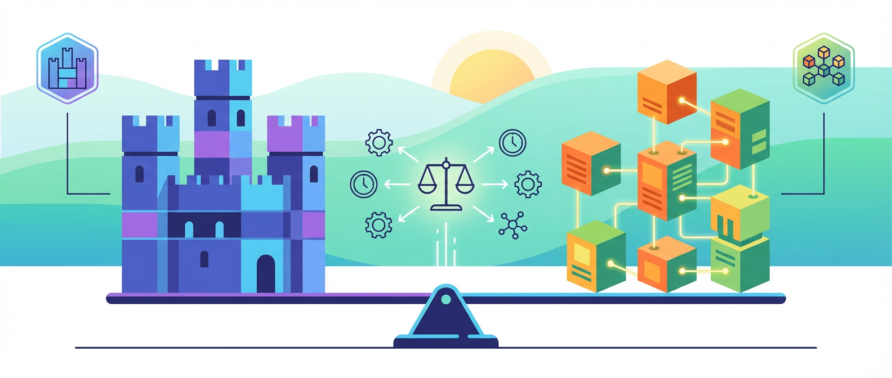
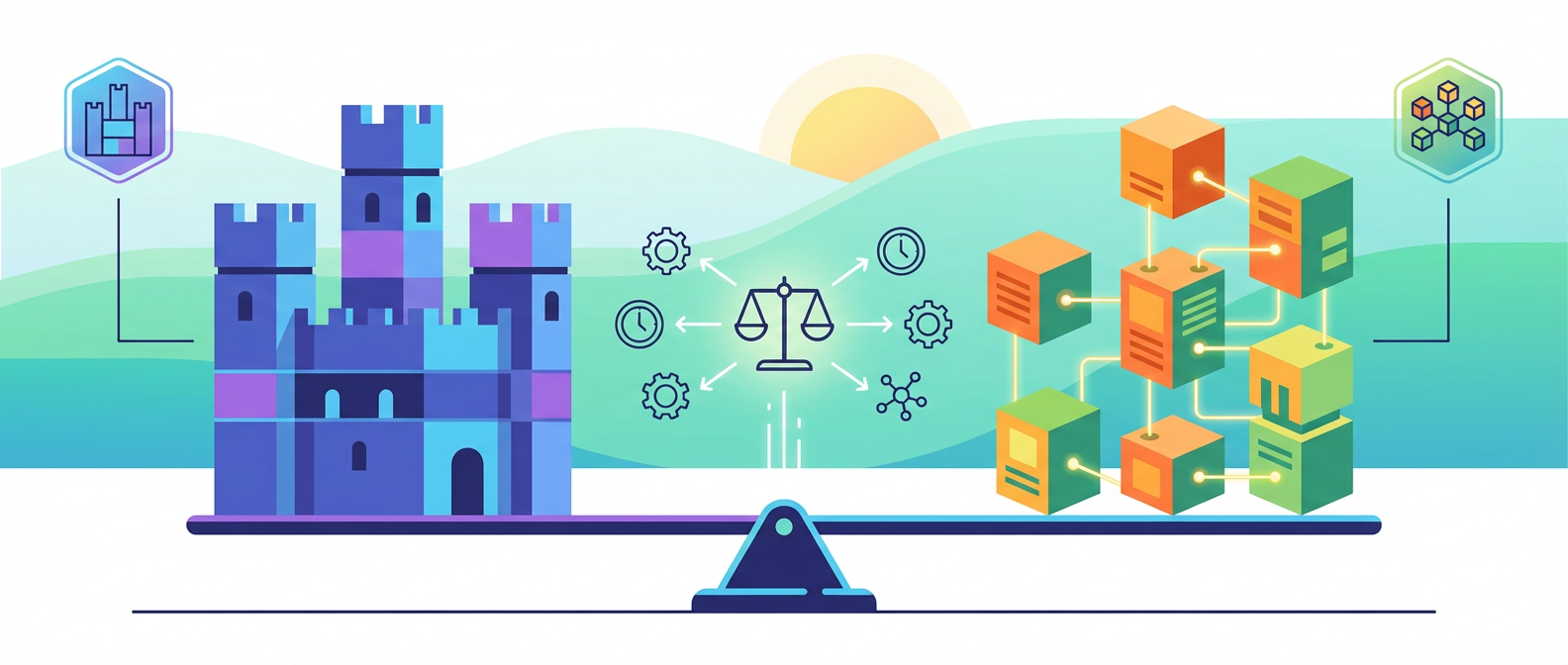
The Monolith vs Microservices Decision Tree (That Actually Works)

The real question isn’t whether microservices are better than monoliths. It’s whether your organization can actually operate whatever architecture you choose. This sounds obvious, but I’ve watched more projects crash from architectural mismatch than from technical debt. Conway’s Law isn’t just some clever observation about software structure, it’s a constraint that will absolutely bite you if you ignore it.

Here’s what nobody wants to admit: most teams that adopt microservices do it for the wrong reasons and end up with distributed monoliths that are ten times harder to debug than what they started with. But some teams genuinely need the operational complexity that microservices bring. The trick is figuring out which camp you’re in before you commit.

Illustration for The Monolith vs Microservices Decision Tree (That Actually Works)

When Monoliths Stop Being Boring (In a Bad Way)

Monoliths fail in predictable ways. The codebase becomes a tangled mess where changing one feature requires understanding seventeen others. Deploy times stretch from minutes to hours. You can’t scale individual components independently, so you throw more hardware at the entire system when only the user authentication service is choking.

But here’s what actually kills monoliths: team dynamics. When you have more than about eight developers working on a single codebase, merge conflicts become a daily ritual. Feature branches live for weeks because integration is genuinely scary. The feedback loop between “I wrote this code” and “users are experiencing this code” stretches beyond what any sane product development cycle can tolerate.

The breaking point usually comes when you realize you’re spending more time coordinating deployments than shipping features. I’ve watched teams implement elaborate branching strategies and release management processes that would make NASA proud, all to work around the fact that their monolith has become a coordination bottleneck rather than a software problem.

Database contention becomes the other silent killer. When every part of your application shares the same database, scaling means either vertical scaling (expensive) or complex read replica setups that introduce subtle consistency issues. You end up with a system that’s simultaneously over-engineered and under-performant.

The Microservices Tax (And Why Some Teams Pay It Gladly)

Microservices solve organizational problems by introducing technical problems. This trade-off is explicit, intentional, and often worthwhile if you’re honest about what you’re signing up for.

The operational overhead is substantial. You need service discovery, circuit breakers, distributed tracing, centralized logging, and deployment orchestration. Your monitoring complexity explodes because failures now cascade across service boundaries in creative ways. What used to be a single log file becomes a distributed detective story spanning multiple services, each with their own failure modes.

Network partitions become a fact of life rather than an edge case. Services that worked fine when they shared memory now need to handle timeouts, retries, and partial failures gracefully. Your error handling code becomes more complex than your business logic, and debugging requires tools that didn’t exist in the monolith world.

But here’s why some teams thrive with this complexity: independent deployment and scaling. When your user service can deploy six times a day while your billing service updates monthly, you’ve unlocked a level of organizational agility that monoliths can’t match. Different services can use different technologies, different deployment strategies, and different operational practices based on their specific requirements.

The teams that succeed with microservices treat operational complexity as a feature, not a bug. They invest heavily in tooling, monitoring, and automation because they understand that microservices are basically an operational architecture pattern, not just a software design choice.

The Decision Framework That Actually Works

Start with team structure, not technical requirements. If you have fewer than three autonomous teams, microservices will likely create more problems than they solve. Each service needs an owner who can make deployment decisions independently. If you’re still having weekly architecture meetings where everyone needs to agree on database schemas, you’re not ready for microservices.

Look at your deployment pain points honestly. If your main problem is that deployments take too long or require too much coordination, microservices might help. If your main problem is that the codebase is hard to understand or maintain, you need better software engineering practices, not more services.

Consider your operational maturity. Do you have automated testing that you actually trust? Can you monitor service health effectively? Do you have infrastructure as code? If you answered no to any of these questions, fix those problems first. Microservices will amplify every operational weakness in your organization.

Think about data consistency requirements. If your business logic requires strong consistency across multiple domains, microservices will force you to implement distributed transactions or eventual consistency patterns. This isn’t impossible, but it’s significantly more complex than what you’re probably handling today.

Finally, consider your timeline. Microservices optimize for long-term organizational agility at the cost of short-term development velocity. If you need to ship something in the next six months, a well-structured monolith will get you there faster. If you’re building a platform that needs to evolve rapidly over several years, the investment in microservices infrastructure might pay off.

The Pragmatic Middle Path

The best architecture decision I’ve seen teams make is the modular monolith. Structure your codebase as if it were microservices, clear service boundaries, well-defined APIs, minimal cross-cutting concerns, but deploy it as a single unit initially. This gives you the organizational benefits of thinking in services without the operational overhead of distributed systems.

When specific modules need independent scaling or deployment, extract them as separate services. You’ll have the interfaces already defined, the operational practices established, and the team structure in place. This evolutionary approach lets you pay the microservices tax incrementally rather than all upfront.

The key insight is that architecture isn’t just about software structure, it’s about enabling your team to work effectively. The best architecture is the one that fits your current constraints while keeping options open. Sometimes that’s a monolith. Sometimes it’s microservices. Most of the time, it’s something in between.

What’s your experience been with this architectural decision? I’m particularly curious about teams who’ve successfully extracted services from monoliths and what they learned from the process. The war stories are always more instructive than the success stories.